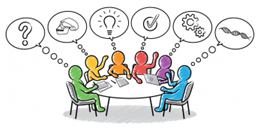
If we were in a real classroom, sitting together, we would take some time to find out where the bathrooms are, where the books and paper are kept, to get to know each other a bit, and to hear how the class works.
On this website, the first thing to know is that it’s organized with the most current, or newest on top: If you want to find a current assignment or the most recent subject area worksheets, look at the top. If you want to see where we started, and how we’ve been building our knowledge base and skills, start from the bottom.
That’s why, under the Materials tab, the Getting Started page is at the bottom.
Here is some other information to help find your way around:
If you ever want to get back to the Home Page, or front page, just click on the logo at the top of any page.
And if the type is a different color (dark green instead of grey/black), you can click on it to go to the page it describes. These are called links because they link text on one page to information somewhere else.
You can search the website by clicking the icon of a magnifying glass in the upper right-hand corner of the website, typing your query into the space that opens at the bottom, and then pressing the button.
If you get stuck or just have a question, email me!